Unreal Engine Inventory System
Overview
This project is a demo of an inventory system implemented in UE5 using C++. It features item stacking, storing items in chests, and saving. It utilizes a data table for the item information, and utilizes automated testing to verify the inventory system is working as intended.
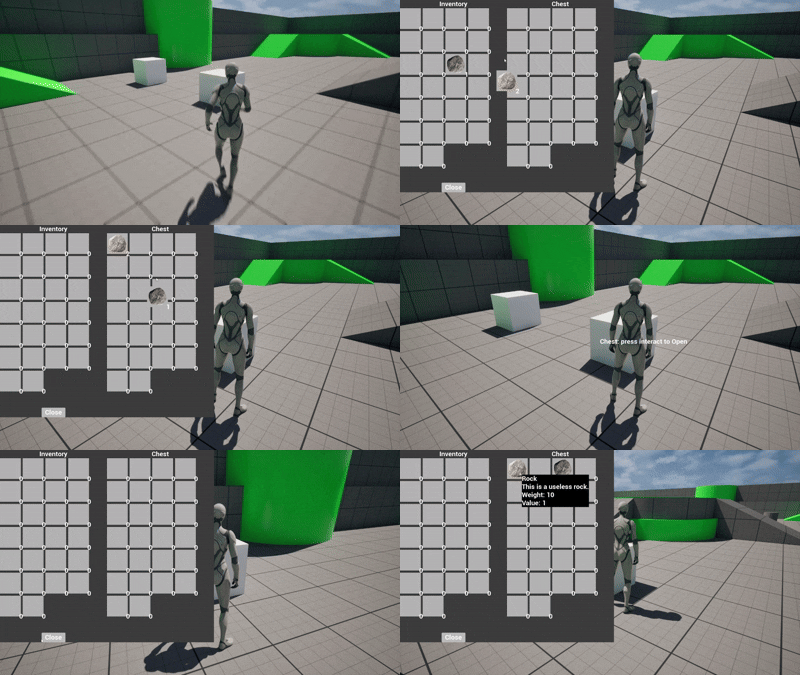
Code
The inventory is implemented an actor component containing a map from int (index within the inventory) to an item struct. When adding an item to an inventory it’s placed at the first empty index, or stacked with any matching item within the inventory.
// Function to add an item to the first empty slot
bool UInventoryComponent::AddItemToInventoryByID(FName rowName) {

	// Get item from database
	UGameInstance* GameInstance = UGameplayStatics::GetGameInstance(this);
	FInventoryItem item;
	if (GameInstance->GetClass()->ImplementsInterface(UItemDBInterface::StaticClass())) {
		item = IItemDBInterface::Execute_GetItemDBRow(GameInstance, rowName);
	}

	// Stack item with match
	int itemIndex = FindItemInInventory(&item);
	if (itemIndex >= 0) {
		items[itemIndex].Quantity += 1;
		return true;
	}
	// Else put item in first slot
	itemIndex = FindFirstEmptyInventorySlot();
	if (itemIndex >= 0) {
		item.Quantity = 1;
		items.Add(itemIndex, item);
		return true;
	}
	return false; // If inventory full return false
}
Then, to display the inventory, the inventory widget pulls from the inventory component and populates its slots based on the items found.

This results in the smooth inventory screen seen in game.
Credits
Code by Abby Smith
Made in Unreal Engine 5 using Visual Studio 2022
The code is available on my GitHub page